Dataframes manipulation
Overview
Teaching: 10 min
Exercises: 10 minQuestions
Data-frames. What they are and how to manage them?
Objectives
Understand what is a data-frame and manipulate it.
Data-frames: The power of interdisciplinarity
Let’s beggin by creating a mock data set:
> musician <- data.frame(people = c("Medtner", "Radwimps", "Shakira"),
						 pieces = c(722,187,68),
 						 likes = c(0,1,1))
> musician
The content of our new object:
    people pieces likes
1  Medtner    722     0
2 Radwimps    187     1
3  Shakira     68     1
We have just created our first data-frame. We can see if this is true by the class() command:
> class(musician)
[1] "data.frame"
A data-frame is a collection of vectors, a list, whose components must be of the same data type within each vector. Whereas, a data-frame can save vectors of different data types:
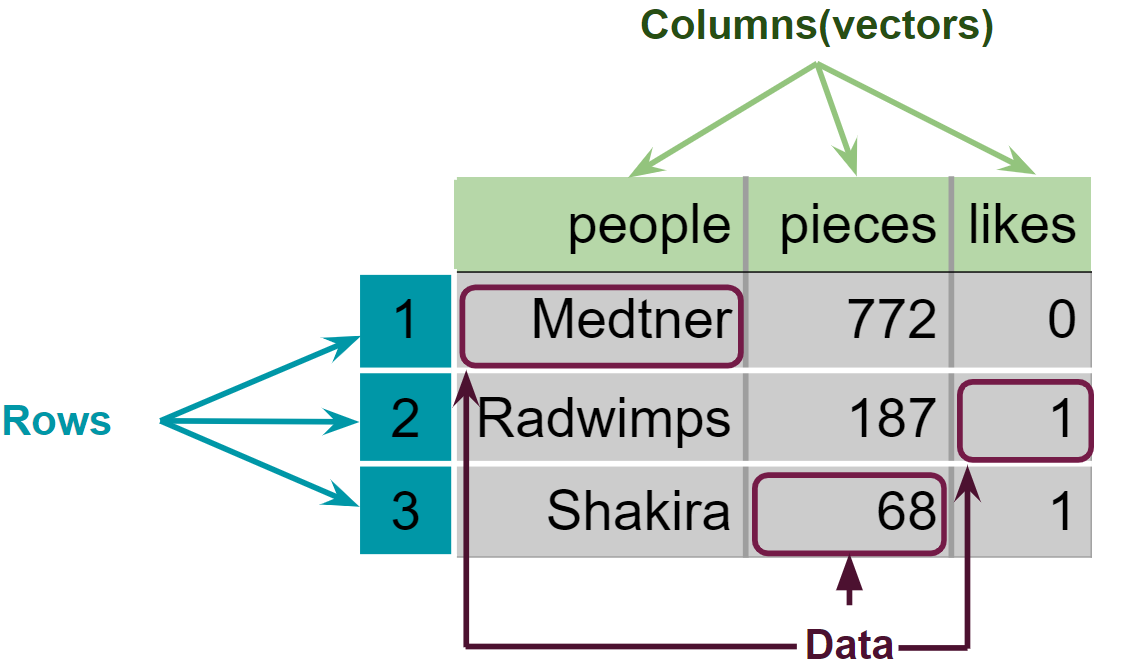
Figure 3. Structure of the created data-frame.
We can begin to explore our new object by pulling out columns by the $ operator. In order to use it,
you need to write the name of your data-frame, followed by the $ operator and the name of the column
you want to extract:
> musician$people
[1] "Medtner" "Radwimps" "Shakira"
We can do operations with our columns
> musician$pieces + 20
[1] 742 207 88
Moreover, we can change the data type of one of the columns. By the next code we can see if the musicians are popular or not:
> typeof(musician$likes)
[1] "double"
> musician$likes <- as.logical(musician$likes)
> paste("Is",musician$people, "popular? :", musician$likes, sep = " ")
[1] "Is Medtner popular? : FALSE" "Is Radwimps popular? : TRUE" "Is Shakira popular? : TRUE"
Finally, we can extract information from a specific place in our data by using the “matrix” nomenclature [-,-],
where the first number inside the brackets specifies the number of row, and the second the number of the column:
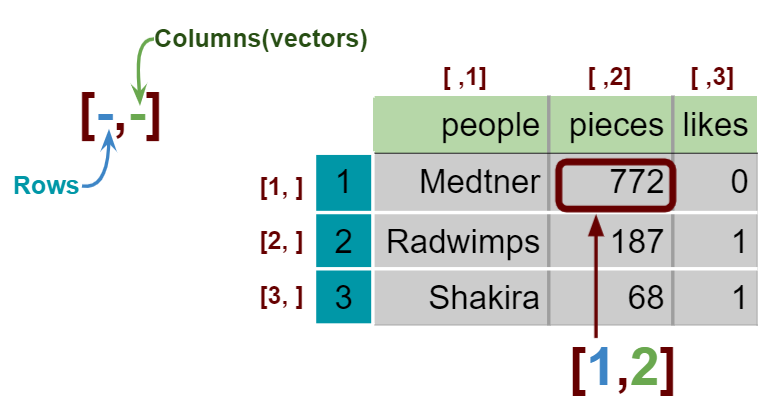
Figure 4. Extaction of specific data in a data-frame and a matrix.
> musician[1,2] # The number of pieces that Nikolai Medtner composed
[1] 722
Key Points
Data-frames contain multiple columns with different types of data.